Case Study: ThinAir Product Design
I joined ThinAir in early 2017 as the company was in the early stages of building a new cybersecurity product. I was tasked with designing a data analytics web application that accessed customized metadata for security purposes. Along the way, I helped define several UX workflows and features to make the application a tool to start investigations for insider threats and compliance check-ups.
Goals & Objectives
Having developed a technology that acted as a metadata attribution sensor on an endpoint device, ThinAir had built a prior product which would lock sensitive and confidential data on files that got into the wrong hands. However, it was often unclear what should be locked. So another product was needed, one that could help observe data and understand what needed to be curated by the software before locking.
My objective was to design and build an analytics application that could help people find what sensitive data across an enterprise should be locked if shared with unauthorized persons. However, in the process of designing and building our working prototype, we determined that the new application would become ThinAir's primary product as it yielded other benefits to our clients. Our new tool would allow analysts to understand where sensitive and confidential data resided and where it was going. They would be able to gain insights from the sensors' attribution metadata across an enterprise with a simple query.
Audience & Research
As a cybersecurity company, we had the intent to build a tool to analyze priviledged data attributes using our sensor technology while maintaining the privacy of that data. Our research showed that ~40% of all cyber breaches came from within the enterprise, whether malicious or not. Thus, we set out to create a way to tackle insider threats and leaks through a web application that could query endpoint data and help provide insights into what existed and how it was being used. Our primary audience initially targeted security analysts, as well as CISOs and IT staff. They were all stakeholders in our product's workflow and throughout the sales and deployment cycle.
Prototypes
Early prototypes I had designed explored almost every idea we came up with as we were working out what the web application's primary use case would be so it could be unique from other DLP systems. I worked most of our ideas into wireframes and did interactive prototypes to test the user experience. For example, users could ask queries based on entities, actions, and time, but we needed a way to show how their queries were built and could be modified or augmented. So, I prototyped several ways to display and edit the queries (see below right). I also interviewed a few of our pilot customers early on to learn their user experience expectations and pain points with our product's interface which helped guide some of the design decisions to simplify and rearrange some of the interactions.
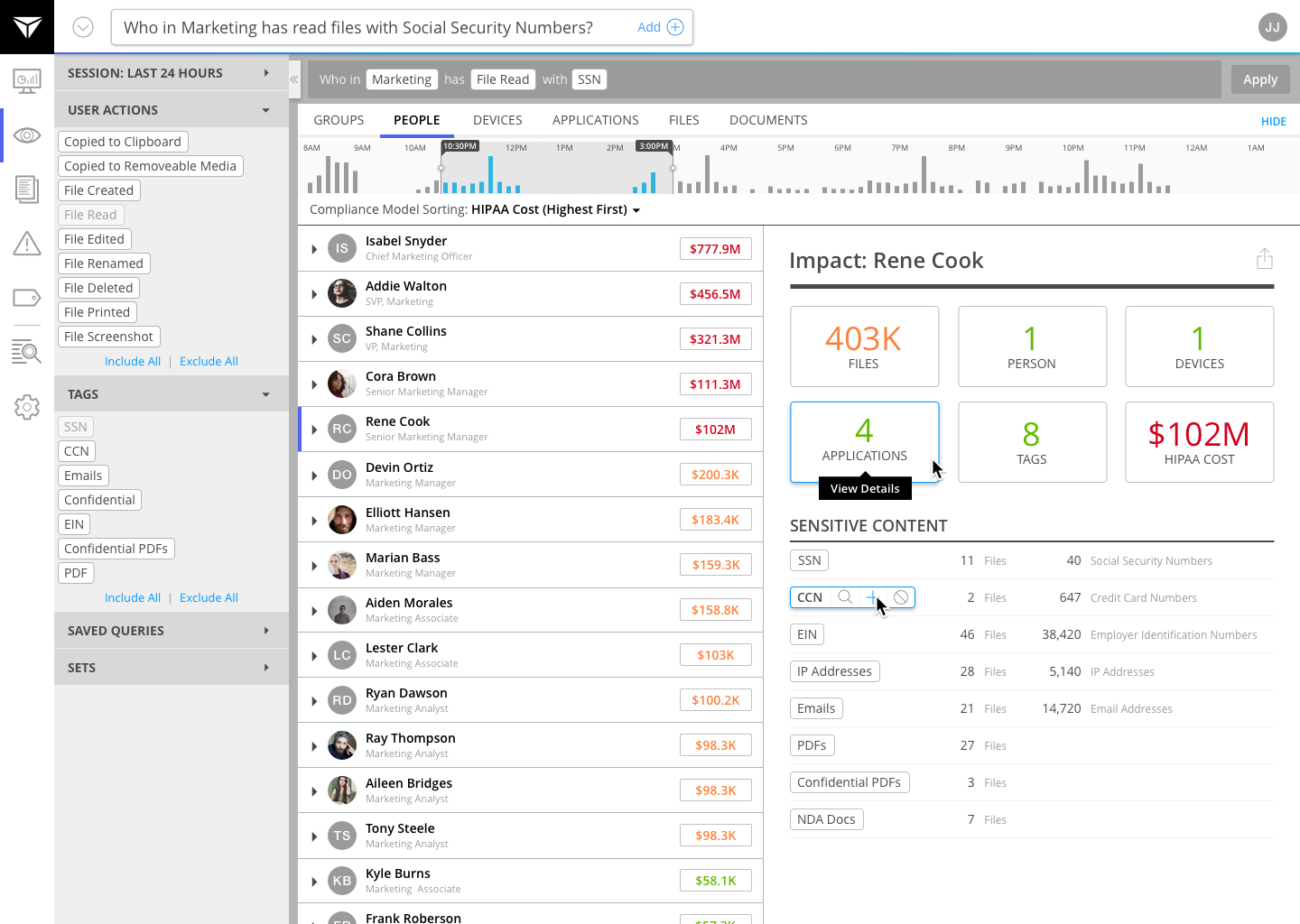
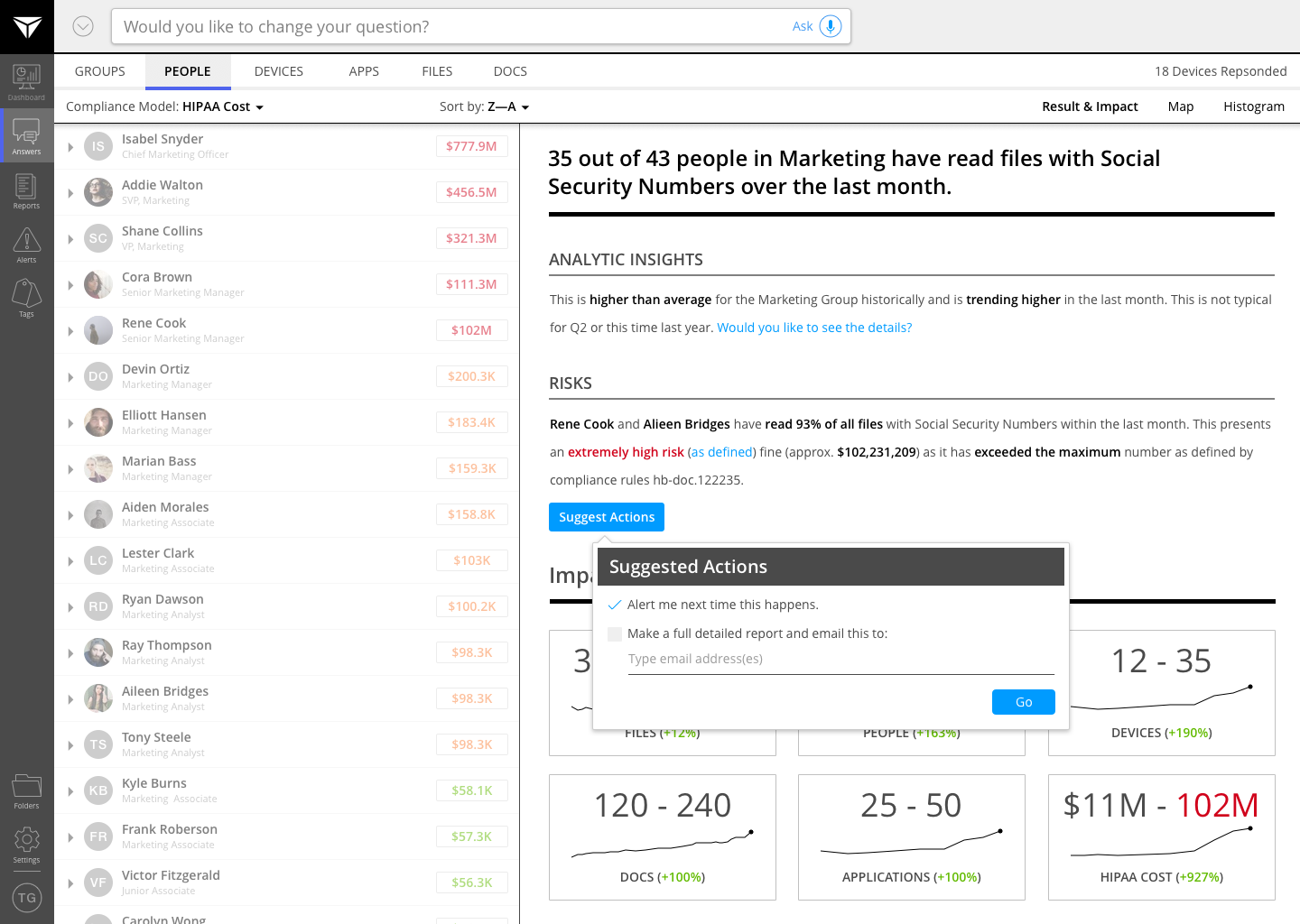
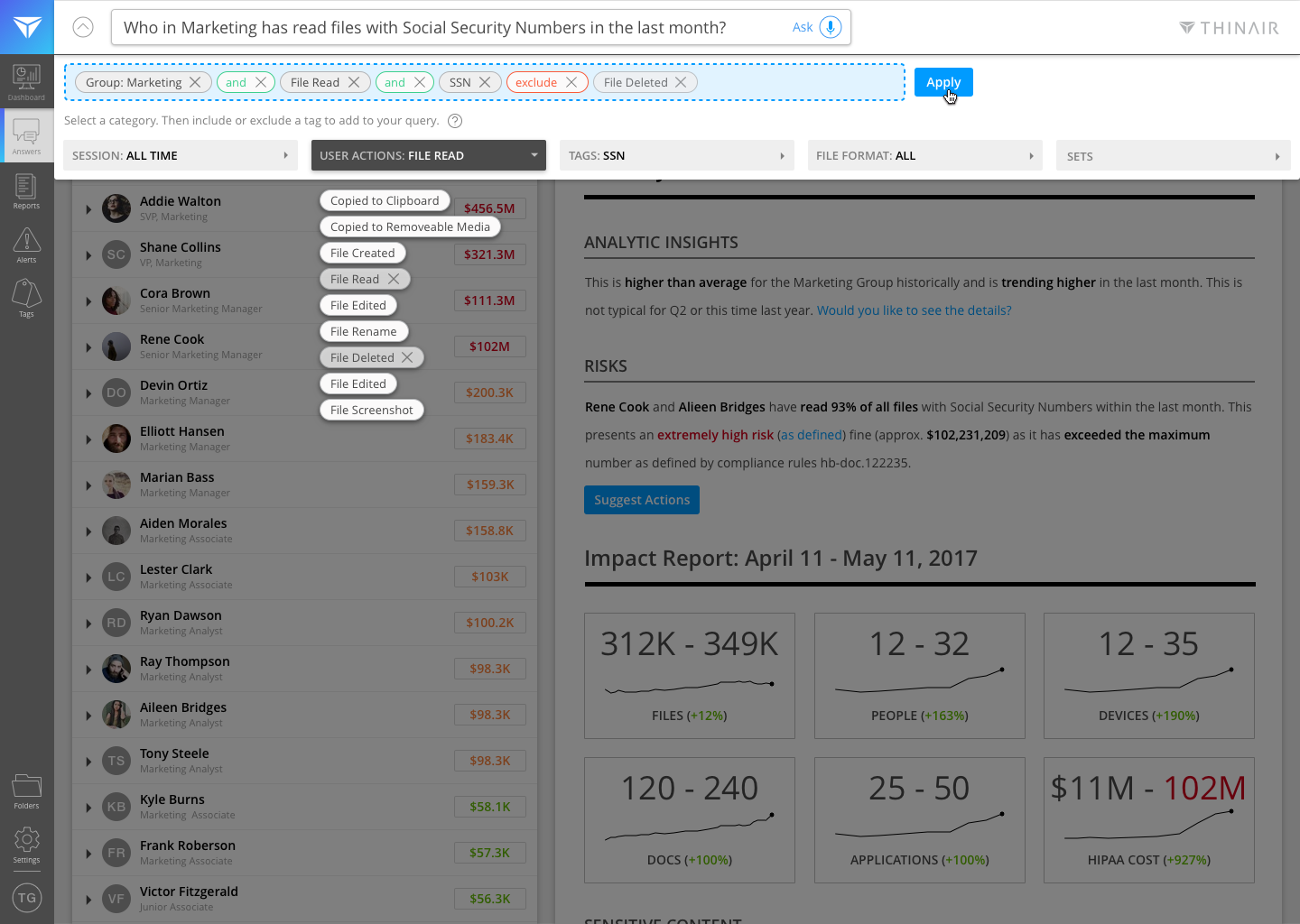
Early prototype designs for Brainstorming Ideas (left), Providing Answers and Suggested Actions (center), and Viewing and Augmenting a Query (right)
Over the course of our early development, we discovered our product also met a need within companies that had compliance requirements. For example, healthcare organizations with HIPAA compliance could use our software to find if any of their customers' personal data (such as Social Security Numbers) were being stored on an employee's laptop. This led me to design in features to support cost models and relevance sorting.
Design & Iteration
Guided by the principles that our product could be used by anyone to achieve the use cases we targeted, I constantly worked toward simplifying and clarifying the user experience and defining the key workflows and reducing UX noise. Our eventual core use cases included:
- Discovery: With our endpoint sensor technology, we were able to find any specified primary types of files (Credit Card Numbers (CCN), Social Security Numbers (SSN), Employer Identification Numbers (EIN), Protected Health Information (PHI), etc.), as well as secondary custom tagged types (documents with "Confidential" or a code name added within, etc.), and application and user actions. This was insightful to an analyst to see what existed and where.
- Investigation: Finding evidence of from insider threats was our primary use case. Finding who had sensitive data (confidential documents, intellectual property, source code, financials, etc.) and if it was exfiltrated was adopted as our core workflow.
- Compliance: Since our software was able to locate specific personal and sensitive data types, we could use our notifications and alerting capabilities to let admins know when such files existed on any endpoint with our software installed.
- Impact: We were able to show the greater impact per query by revealing other entities that were accessed by persons, devices, or applications; as well as estimate a cost impact of the queried data types since we could figure out what existed and how much of it.
Over the course of building the ThinAir web application, there were many rounds of prototyping new features and concepts. Then we selected the best version that was suitable for the development roadmap.
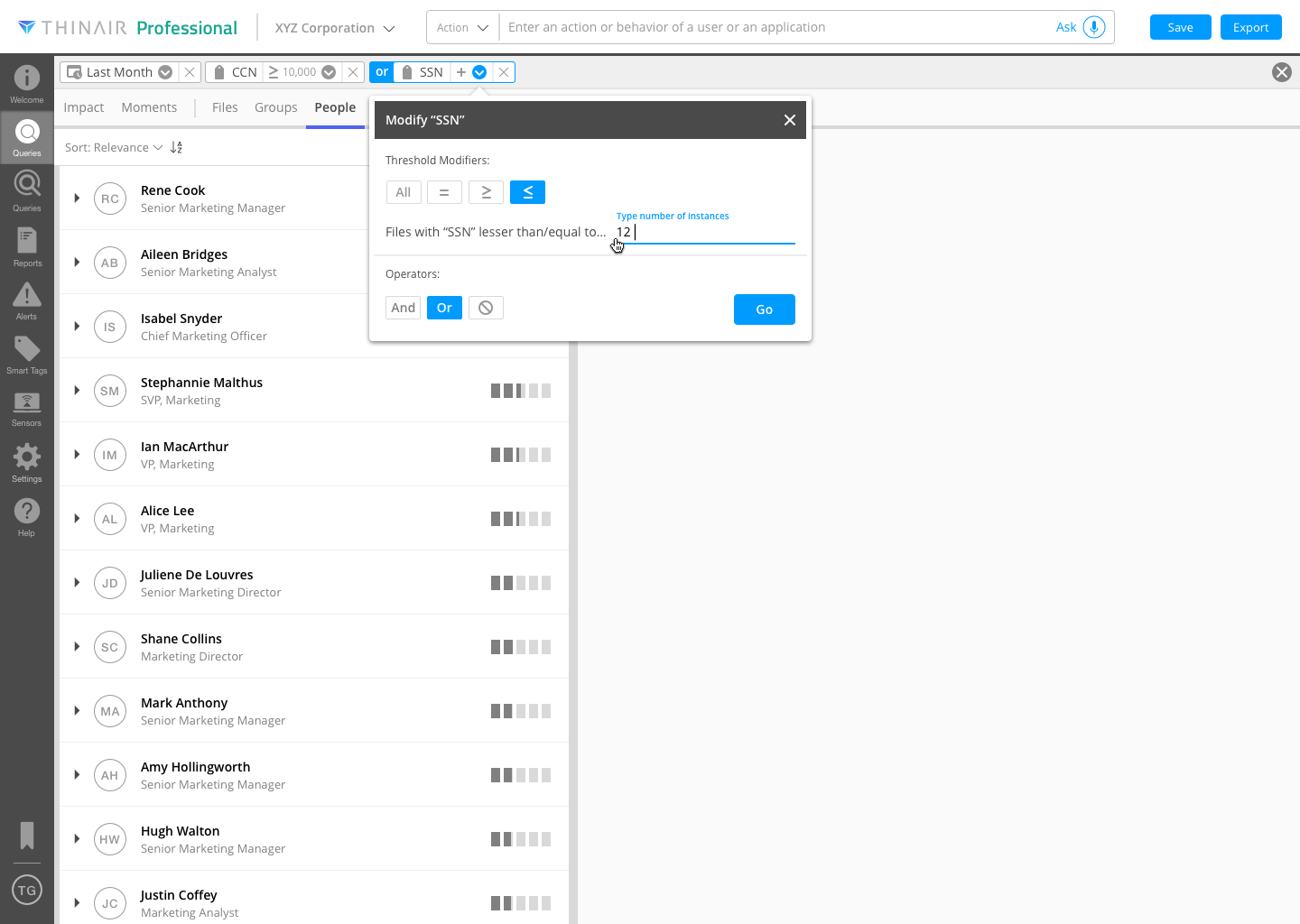
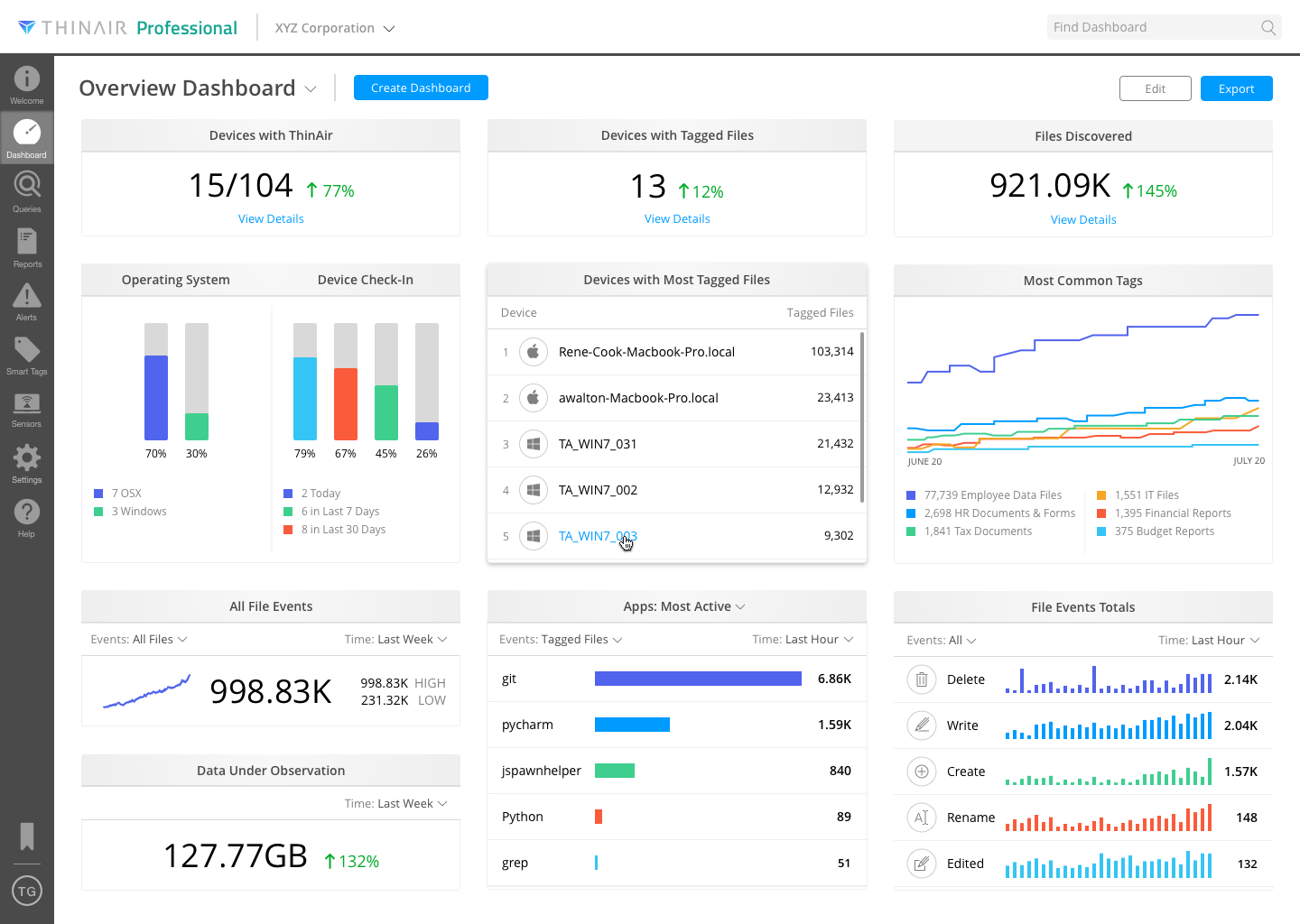
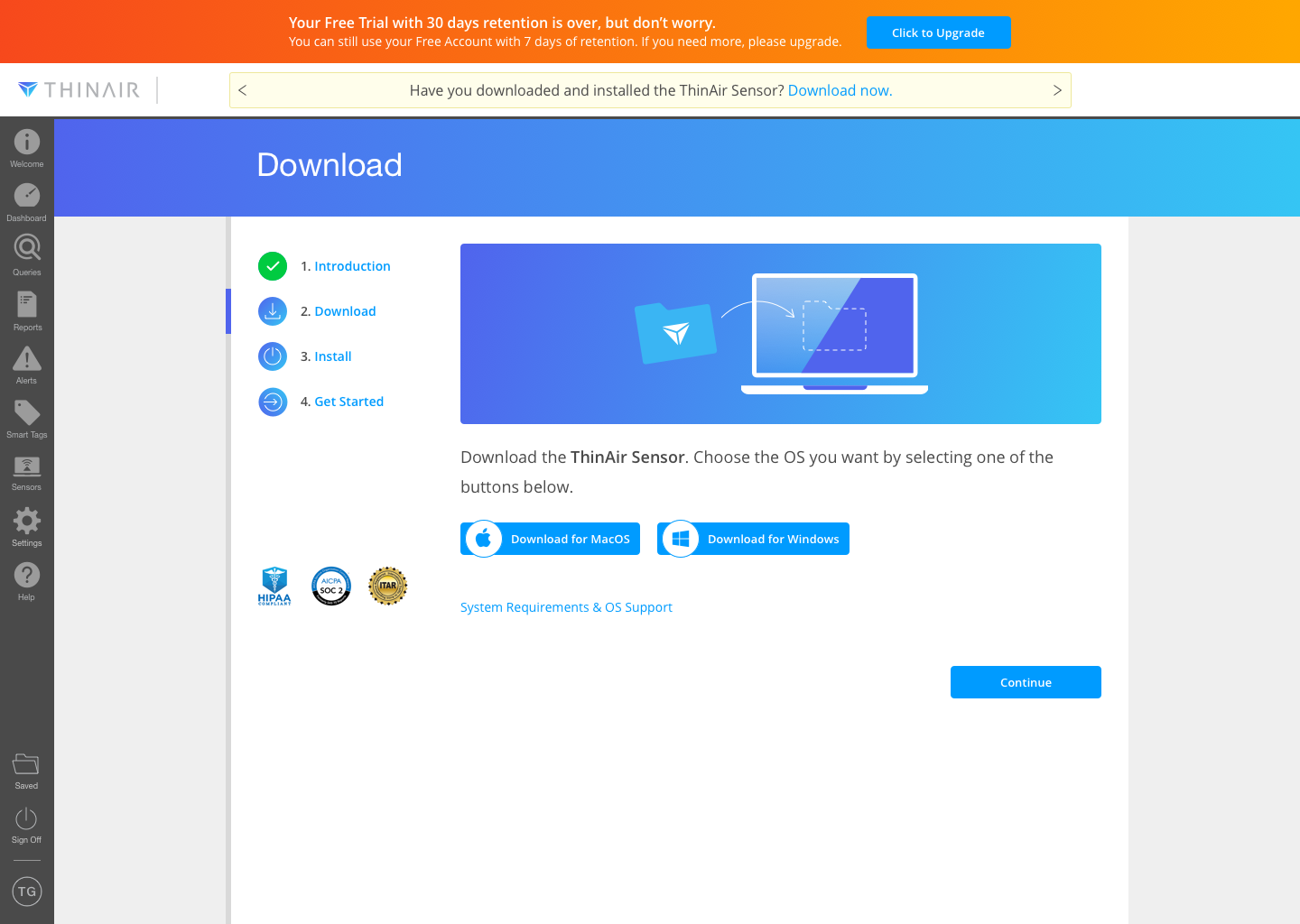
Late stage prototype designs for Adding Modifiers and Operators to Pills (left), Dashboard (center), and Sensor Download Section (right)
Once we had our MVP, I also had to design out the supporting workflows such as 2-Factor Authentification, Downloading the ThinAir Sensor, and In-Product Marketing Upgrade Paths for sales, as we moved toward finishing out our pilots with early customers.
Some of the challenges I had were to due to limited development resources in our fastpaced timeframe. I often had to design in parallel--one iterative design, which could be implemented for the next upcoming release; and one aspirational/visionary design which we would later iterate toward. However, this kept me thinking about the future direction of the app and where we could go to uphold our vision to make our product easy to use. This led us to develop a "conversational interface" into our query box.
Results & Response
Within the year, we managed to find a sweet spot for ThinAir as a complement to other DLP systems. In one case, during a test with a pilot customer, they found two of their salespeople sending their sales contact data to a competitor in the Philippines. This gave them enough evidence to take action. This was exciting to see our product working with real data and justified it's purpose. ThinAir's flagship product has generated strong interest for companies as it fills a niche in an overwhelmingly crowded security space as a primary tool for investigating and monitoring sensitive and confidential data. We are able to provide visibility into data on endpoints while maintaining privacy. Once there is a known threat, other systems can dive deeper into a full-blown investigation.
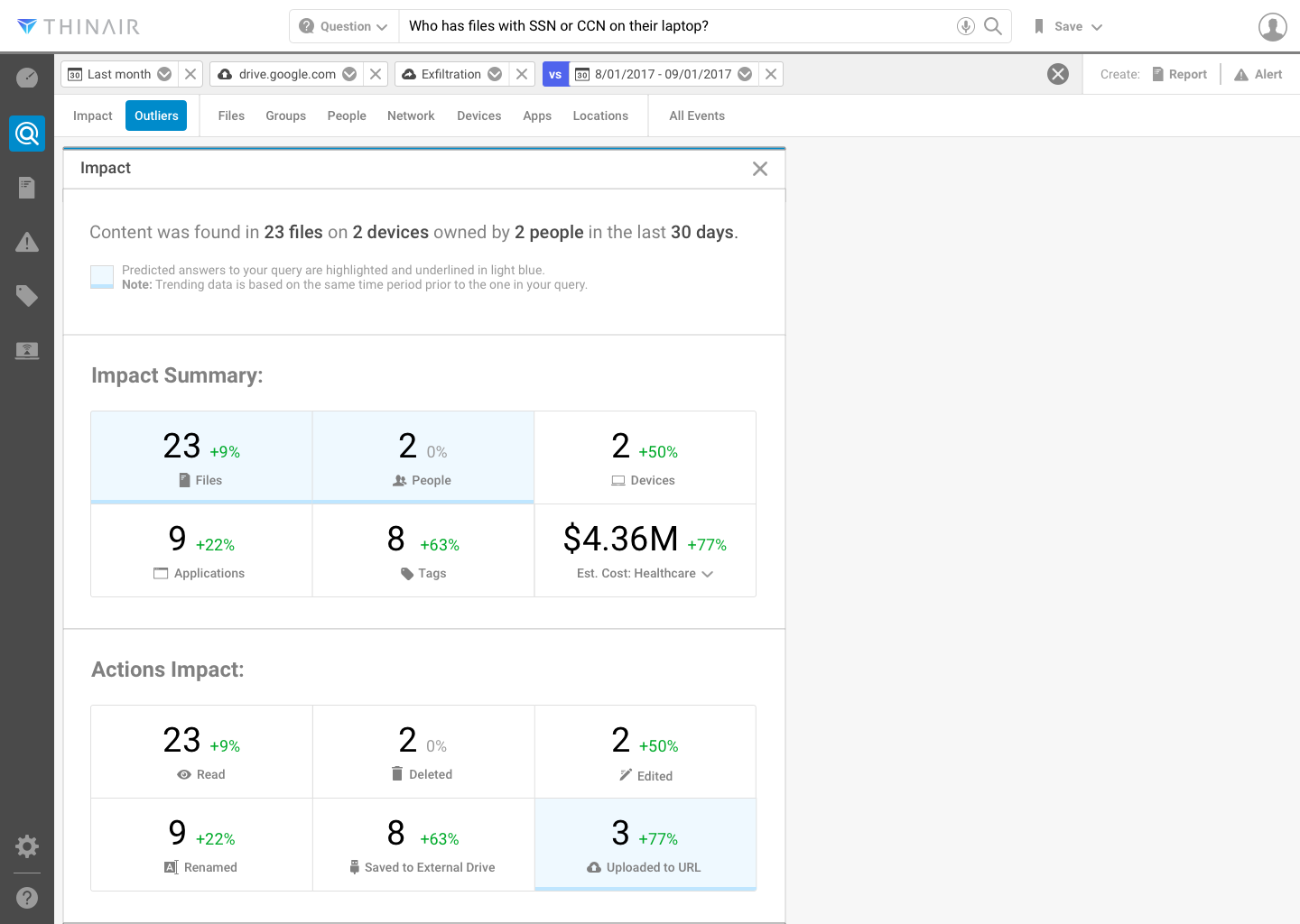
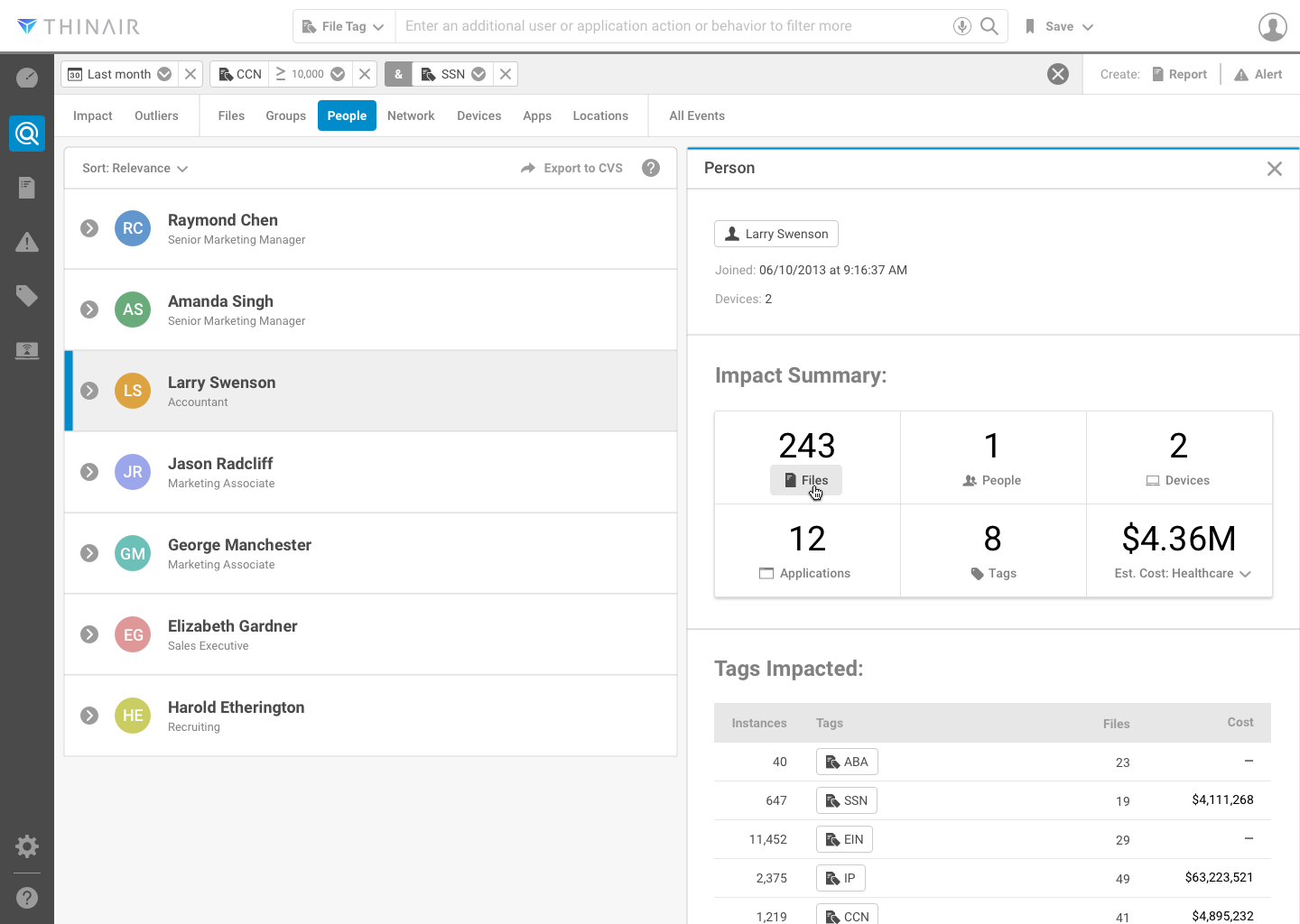
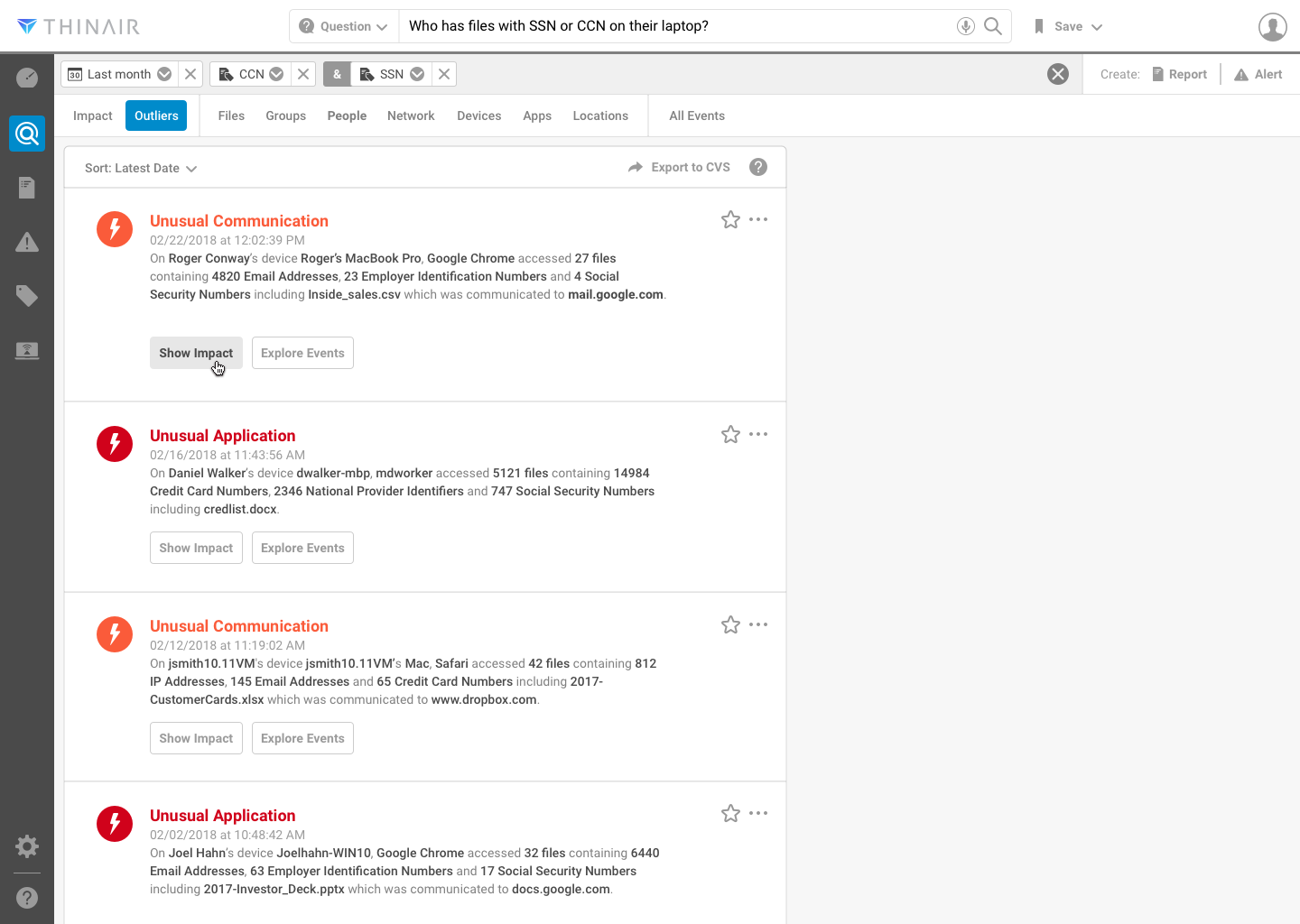
Designs at various stages for Impact, Predictive Answers to Queries, and Comparision Trends (left), Application Tags (center), and Surfacing Outliers and Snowflake Events (right)
Reflection and Next Steps
While working on ThinAir, we were always forward-thinking in terms of UX and UI. We constantly strived to simplify the user experience, reduce noise, and think about ways to make ease of use a top priority. In fact, we worked hard to differentiate our product from other security products through technology and the user experience. We thought hard about how people wanted to interact with machines to find answers. This led us to implement a conversation interface in our query input as an additional way to make a query. Furthermore, I also tried to envision a workflow for how a conversation would work in a visual UI. Below is a concept design for a conversational interface. In my experience with today's conversational UIs (Google Home, Siri), the context of a prior statement is often lost. Here, I keep the conversation in a linear format (like a chat), with steps that can be removed. In my view, this is the future; along with actionable suggestions and orchestration and resolution from machines. Below is a concept design for a visual version of a conversational UI. In my experience with conversational UIs, the context of a prior statement is lost. Here, I keep the conversation in a linear format (like a chat), with steps that can be removed. In my view, this is the future; along with more actionable suggestions from machines.
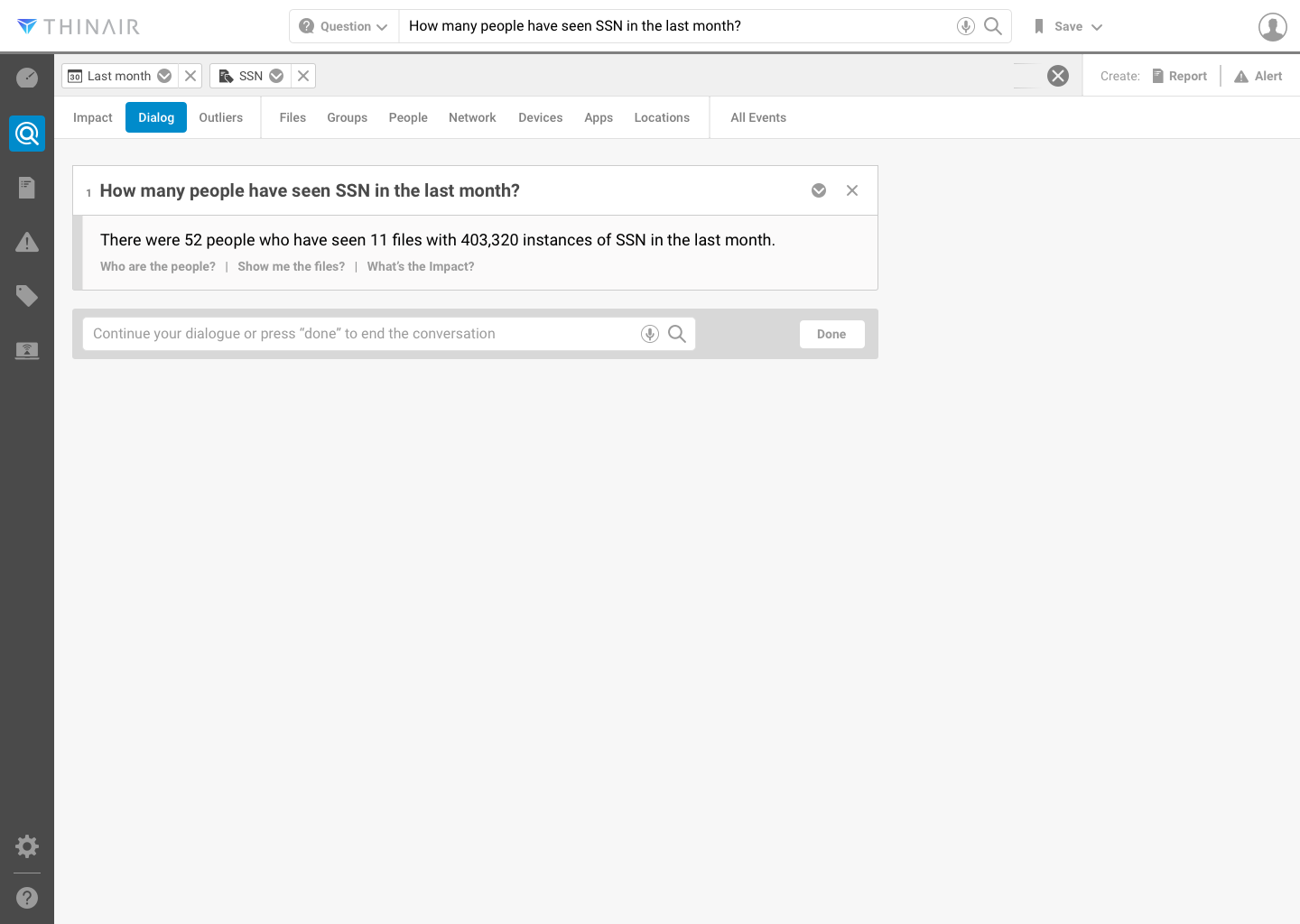
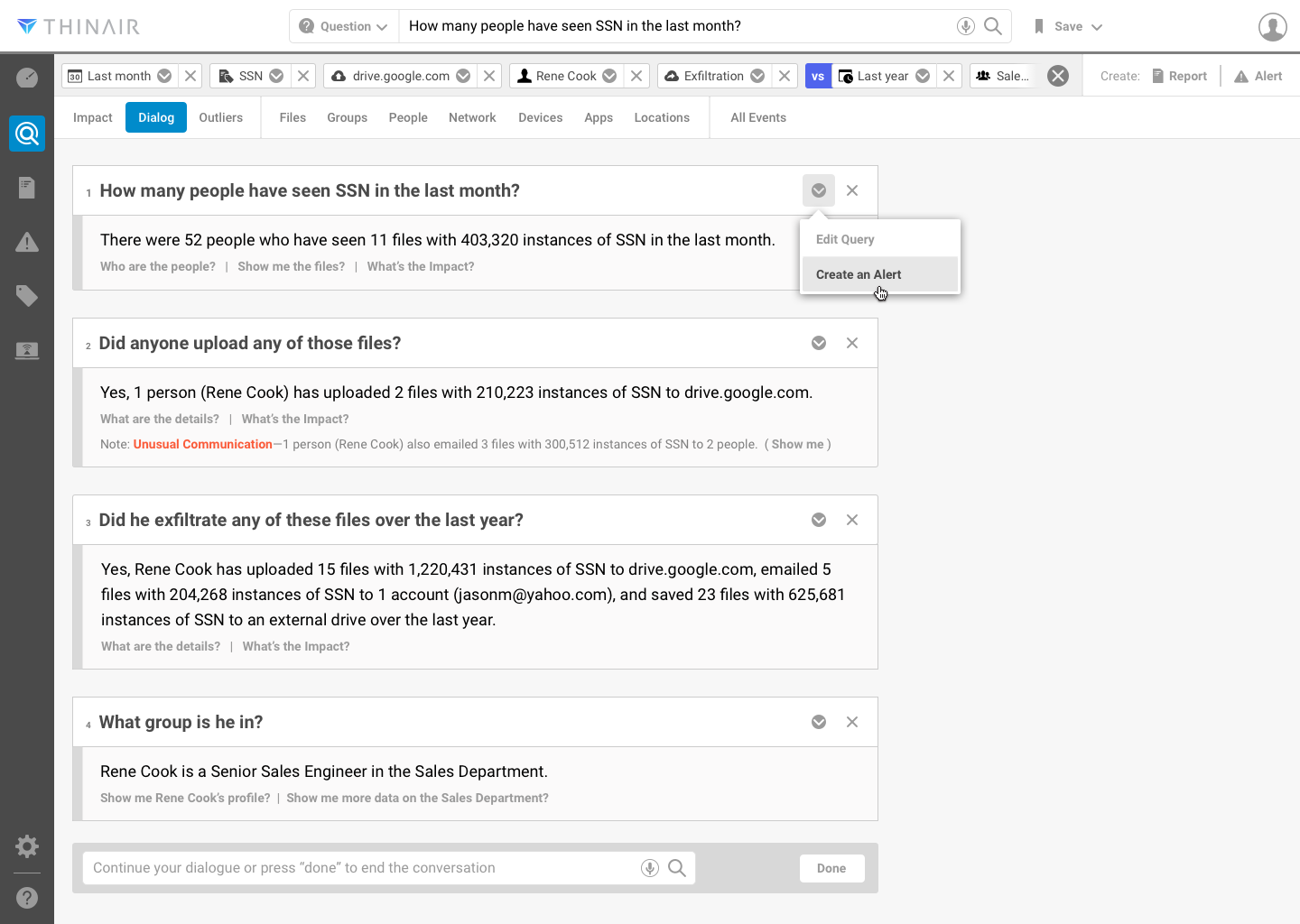
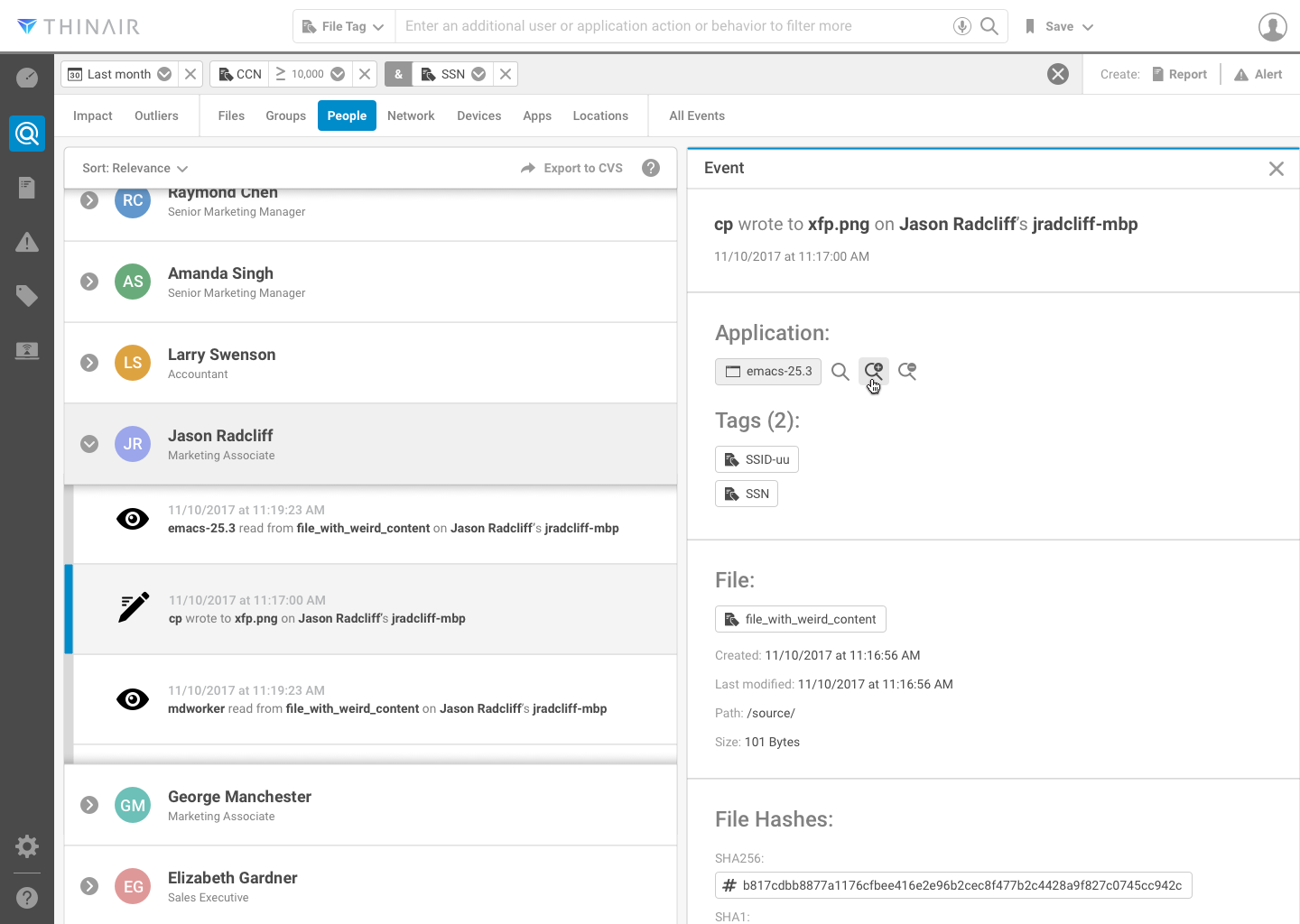
Visual Conversational UI: Initial Query and Answer (left), Augmenting Query Through Conversation (center), and Visual Design for viewing a Person's Event Detail (right)